 Shiftat
Group chats. Spreadsheets.
One schedule your whole team uses.
Shiftat is shift scheduling for teams that work on the floor. Managers build a fair week in minutes; staff see their shifts, swap and ask for leave from their phone.
- Cafés
- Restaurants
- Retail
- Museums and attractions
- Front desks
Trusted by

Before
After
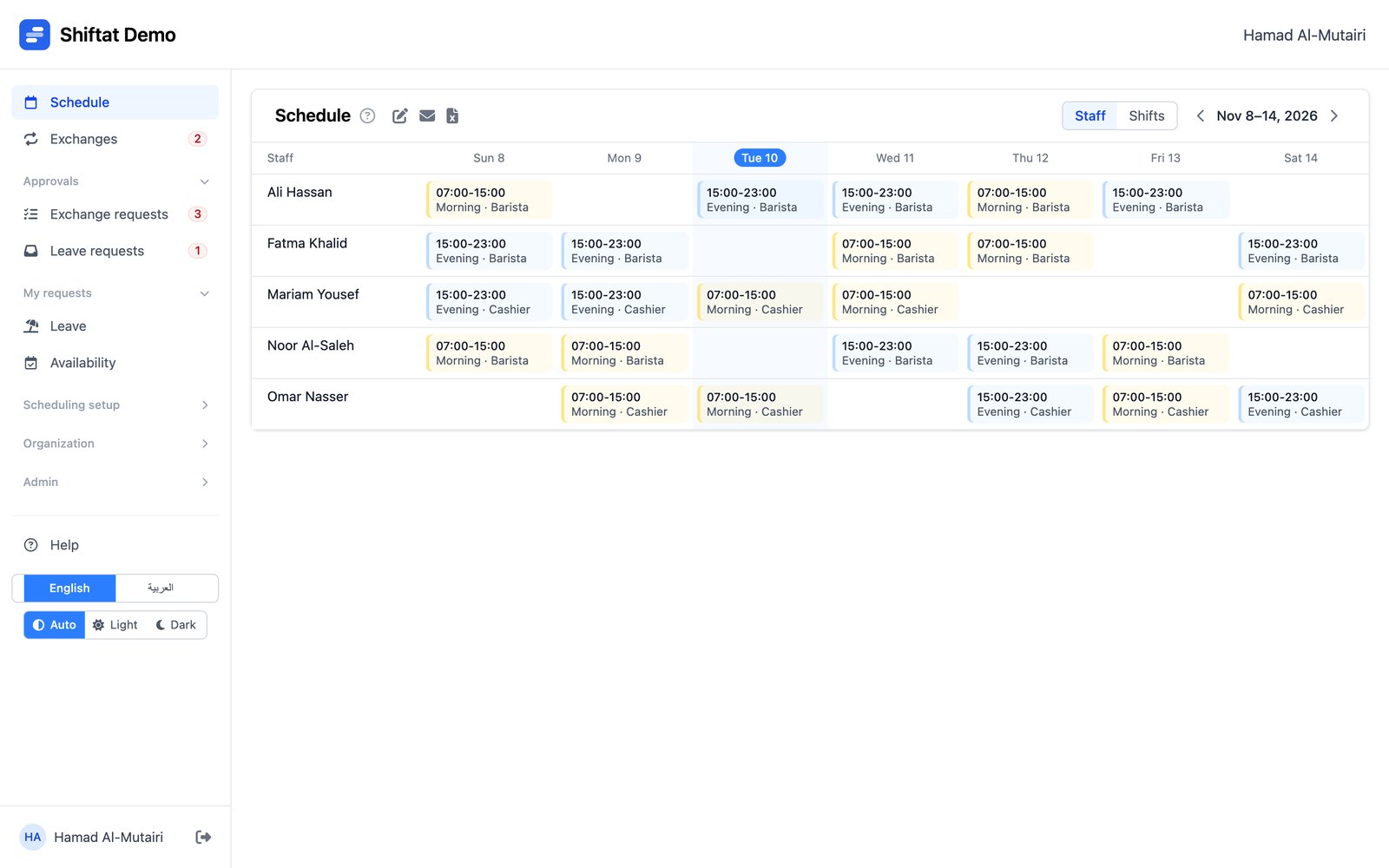
Less time on the schedule, more time on the floor
Everything a week needs, from the first draft to the last-minute swap.
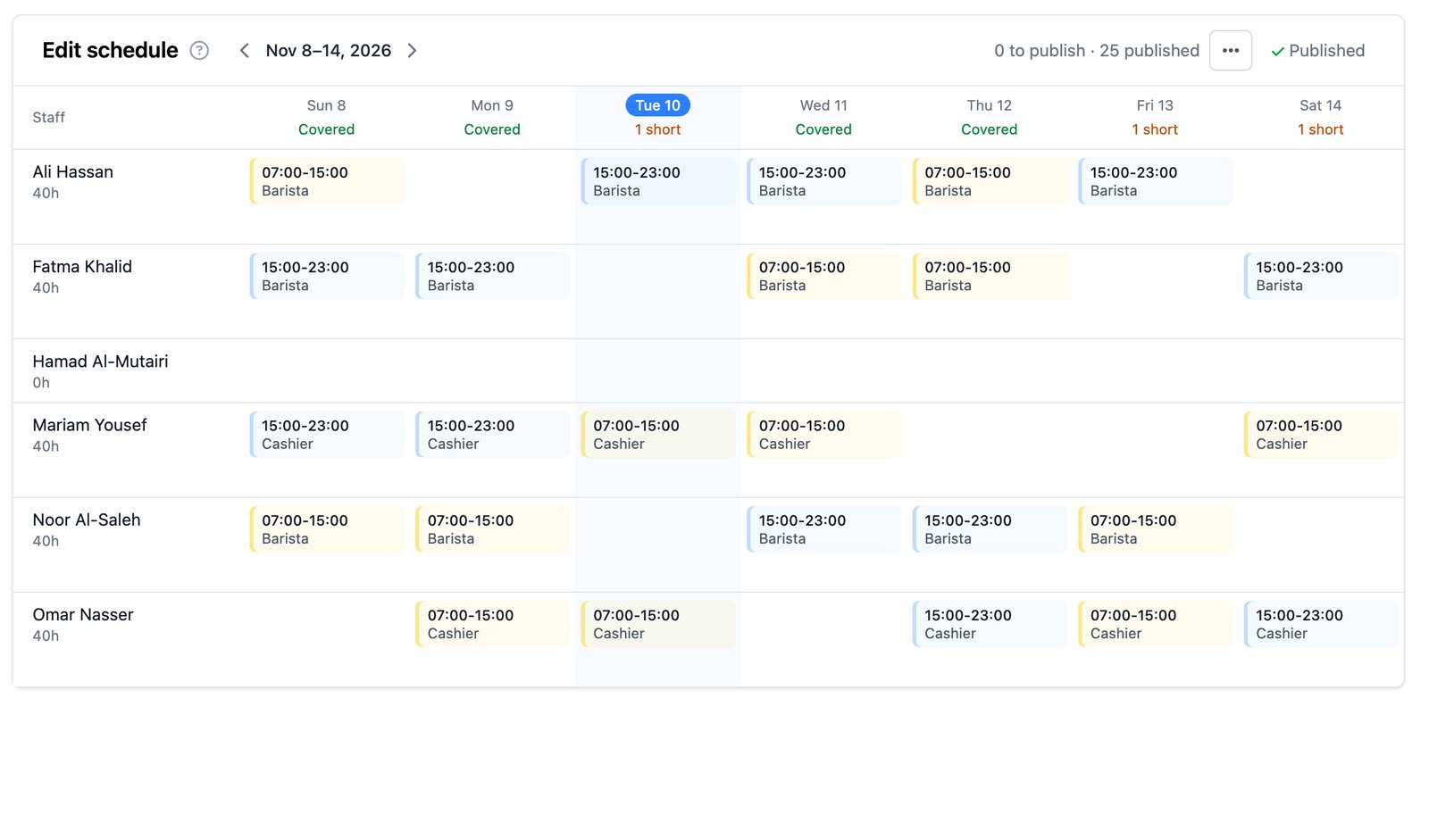
Auto-fill does the first draft
It fills every open place with the person who's had the fewest hours lately, so hours even out over time. When a place can't be filled, it tells you why.
- On leave
- Unavailable
- Missing skills
- At their hour limit
- Already working that day
- Each day shows whether it's covered or short
- Nothing reaches staff until you publish
- Undo the whole run if you don't like it
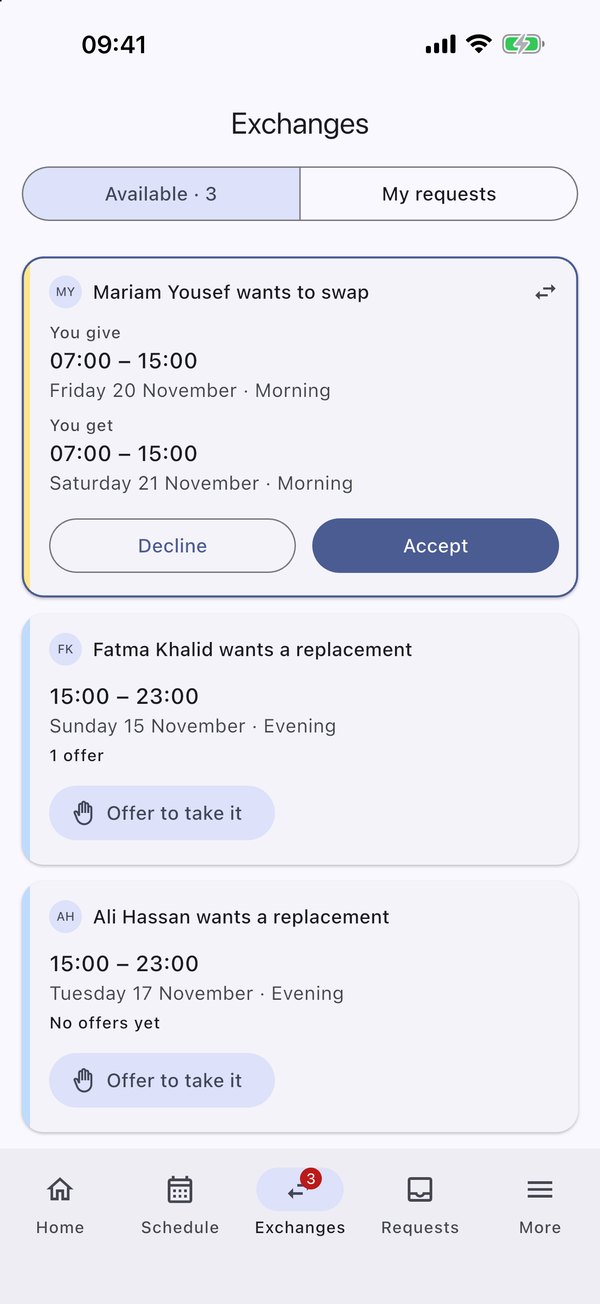
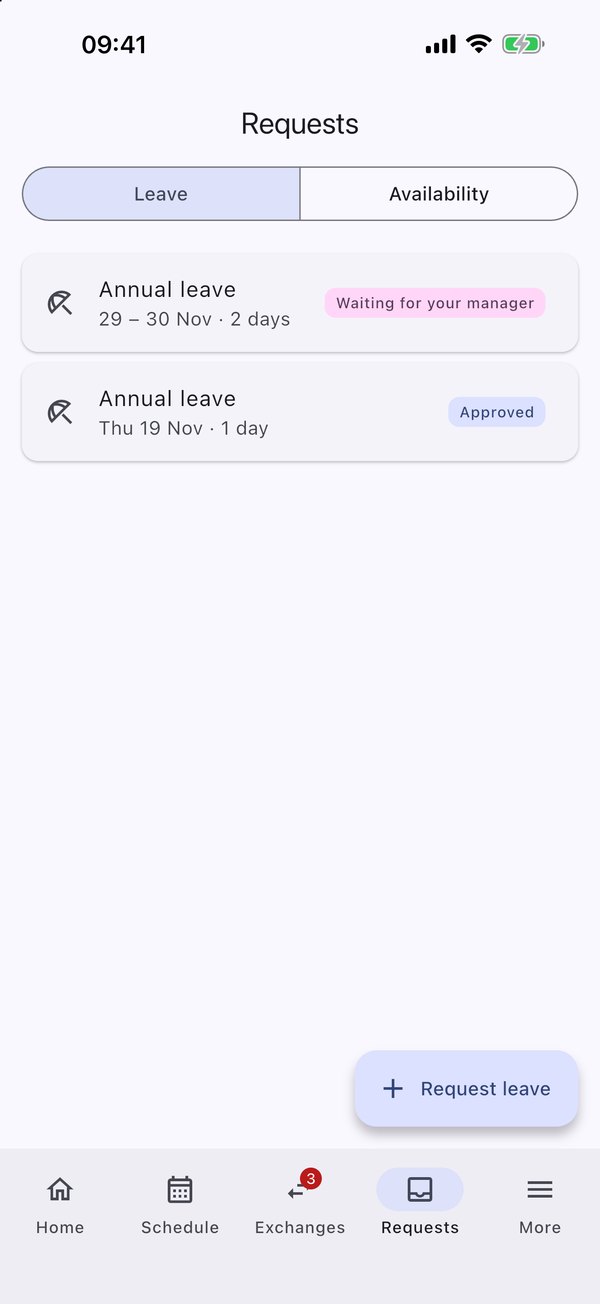
Swaps and leave, without the group chat
Staff ask from the app. You see what's waiting and decide in a tap, and the schedule updates itself.
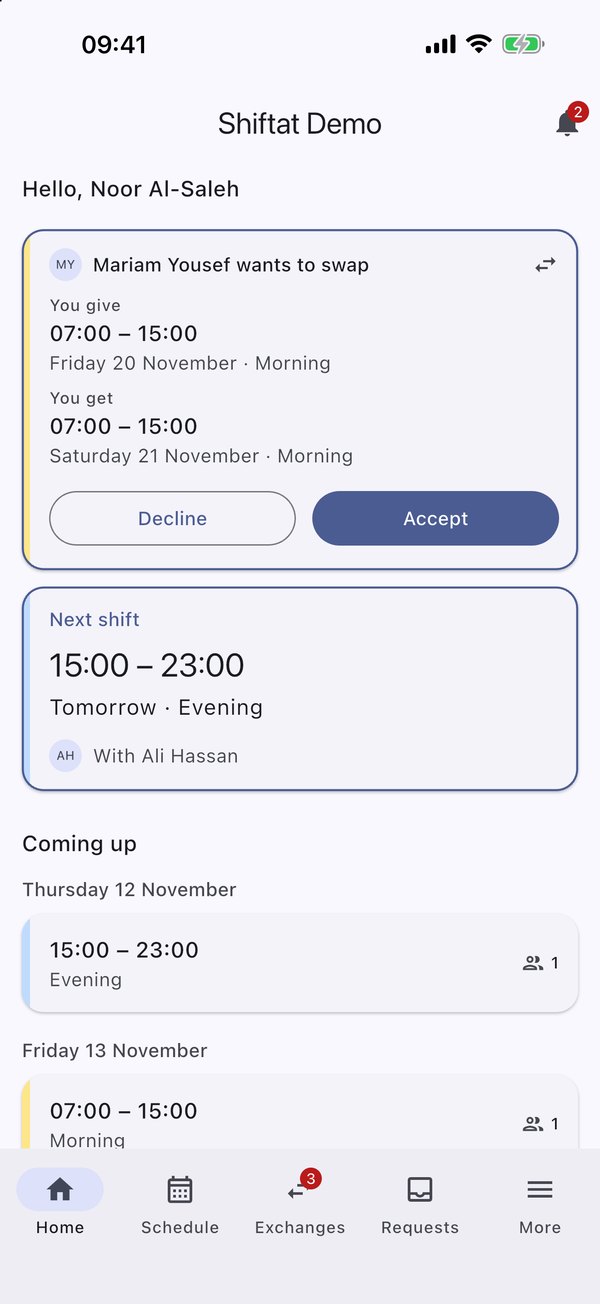
- Swap shifts with a colleague, or offer one to the team
- Pick up open shifts
- Leave and unavailability, with documents
- Nothing changes until a manager approves
And everything else the week needs
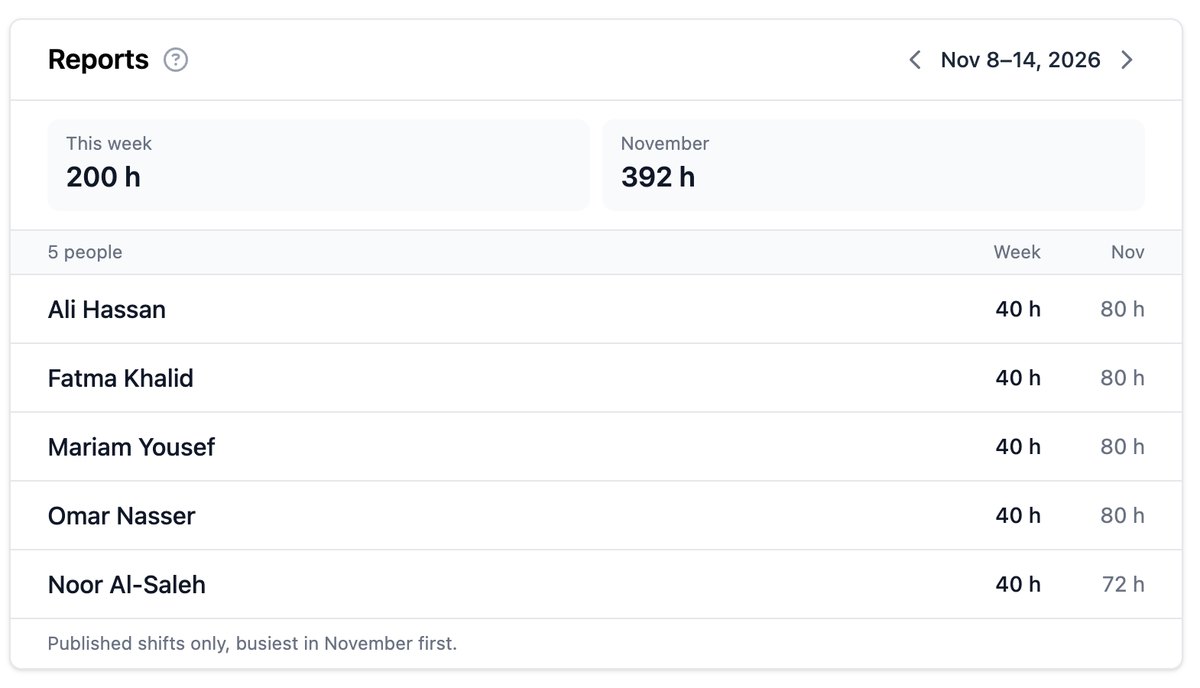
Hours you can trust
Hours per person by week and month, and the schedule as a spreadsheet when payroll asks.
Arabic and English
Each person picks their language, on the web, in the app and in emails.
Every branch
Branches and regions, with managers who see only the branches they run.
Skills and limits
Only people with the right skills are placed on a shift, and nobody goes over their weekly hours or shifts.
Preferences that count
Staff mark the times they'd like to work, and auto-fill favours them.
Leave that sticks
Approved leave and unavailability keep people off the schedule automatically.
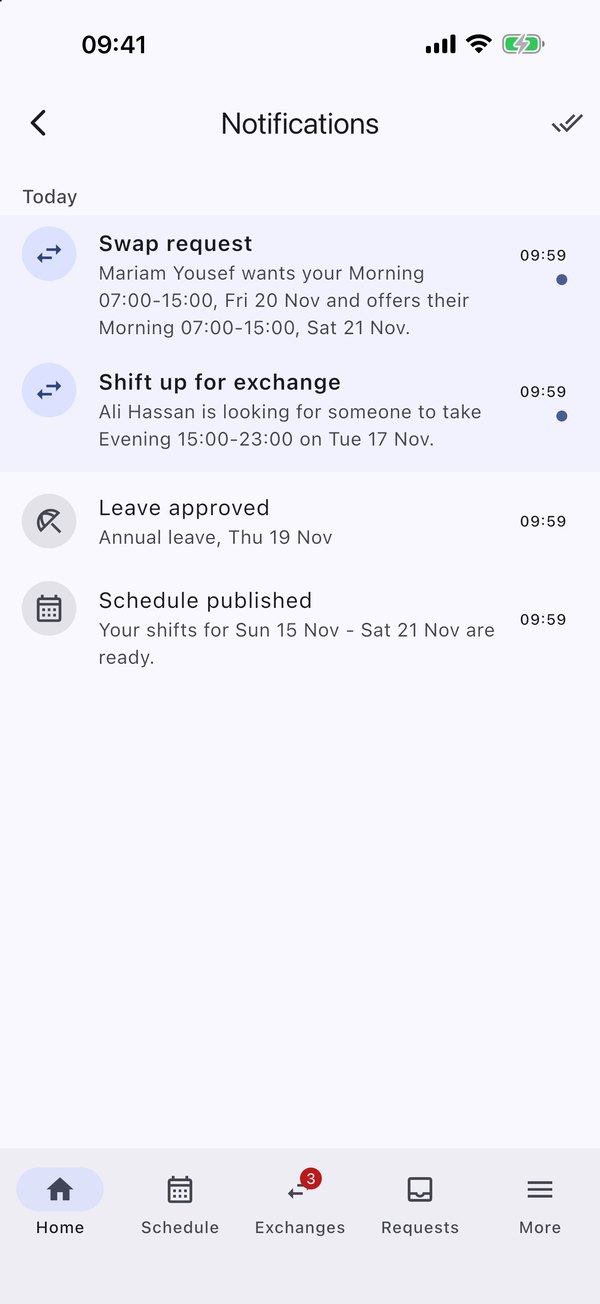
Every shift, in their pocket
Your team sees their week, picks up open shifts, swaps with a colleague and asks for leave, and gets a notification the moment the schedule is published.


Up and running in a week
We set you up
Your branches, shifts and staff, at your own address like yourcompany.shiftat.app.
You publish the week
Auto-fill the draft, adjust it, and publish when it's right.
Your team takes it from there
Staff get the app, see their shifts and send requests to you.